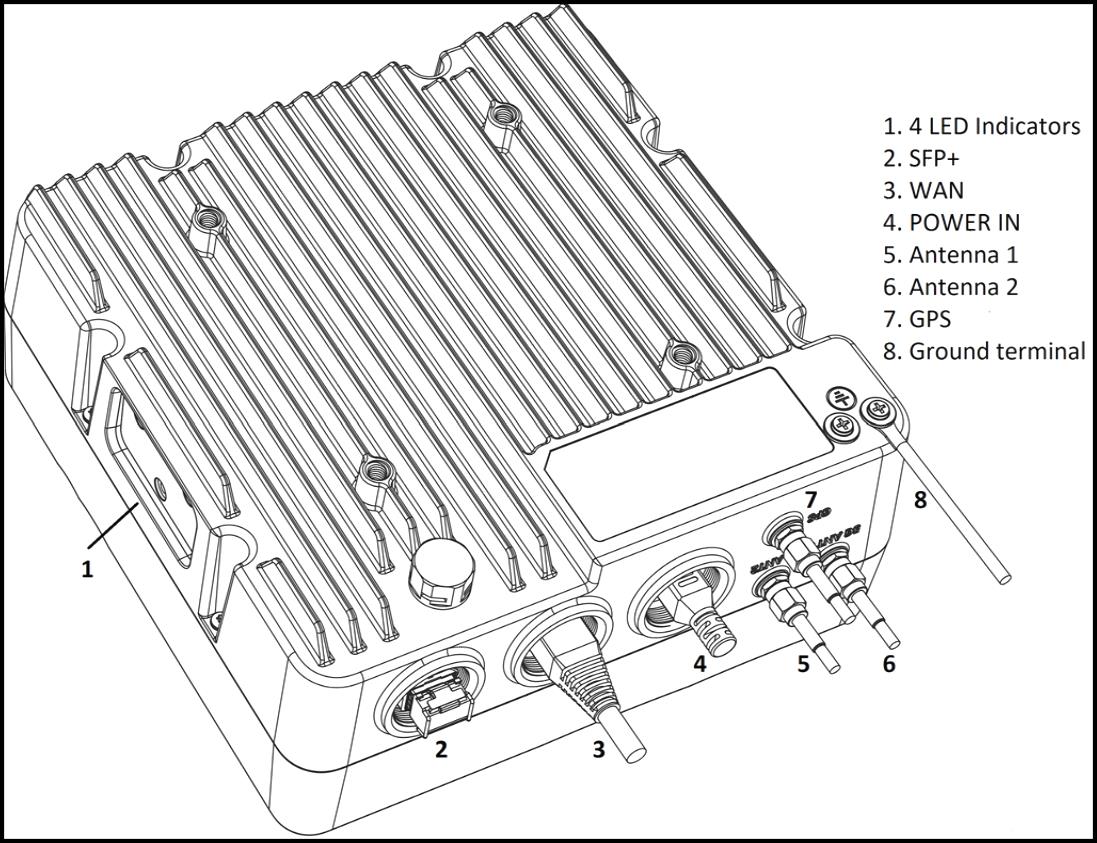
IO interfaces (default mode)
 |
|  |
|  |
|  |
| -------------------------------------------------------------------------------------------------------------------------------------------------------------------------------------------------------------------------------------------------------------------- | ------------------------------------------------------------------------------------------------------------------------------------------------------------------------ | ------------------------------------------------------------------------------------------------------------------------------------------------------------------------------------- | ------------------------------------------------------------------------------------------------------------------------------------------------------------------------------------------------------------------------------------------------------------------------------------- |
## IO Interfaces and Connections
|
| -------------------------------------------------------------------------------------------------------------------------------------------------------------------------------------------------------------------------------------------------------------------- | ------------------------------------------------------------------------------------------------------------------------------------------------------------------------ | ------------------------------------------------------------------------------------------------------------------------------------------------------------------------------------- | ------------------------------------------------------------------------------------------------------------------------------------------------------------------------------------------------------------------------------------------------------------------------------------- |
## IO Interfaces and Connections
IO interfaces (default mode)
 |
|  |
|  |
|  |
|  |
| --------------------------------------------------------------------------------------------------------------------------------------------------------------------------- | ------------------------------------------------------------------------------------------------------------------------------------------------------------------- | ------------------------------------------------------------------------------------------------------------------------------------------------------------------------------- | ----------------------------------------------------------------------------------------------------------------------------------------------------------------------- | --------------------------------------------------------------------------------------------------------------------------------------------------------------------------------------- |
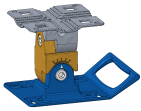
### Install the Mount Base to the Device
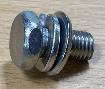
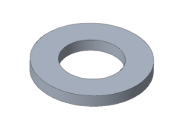
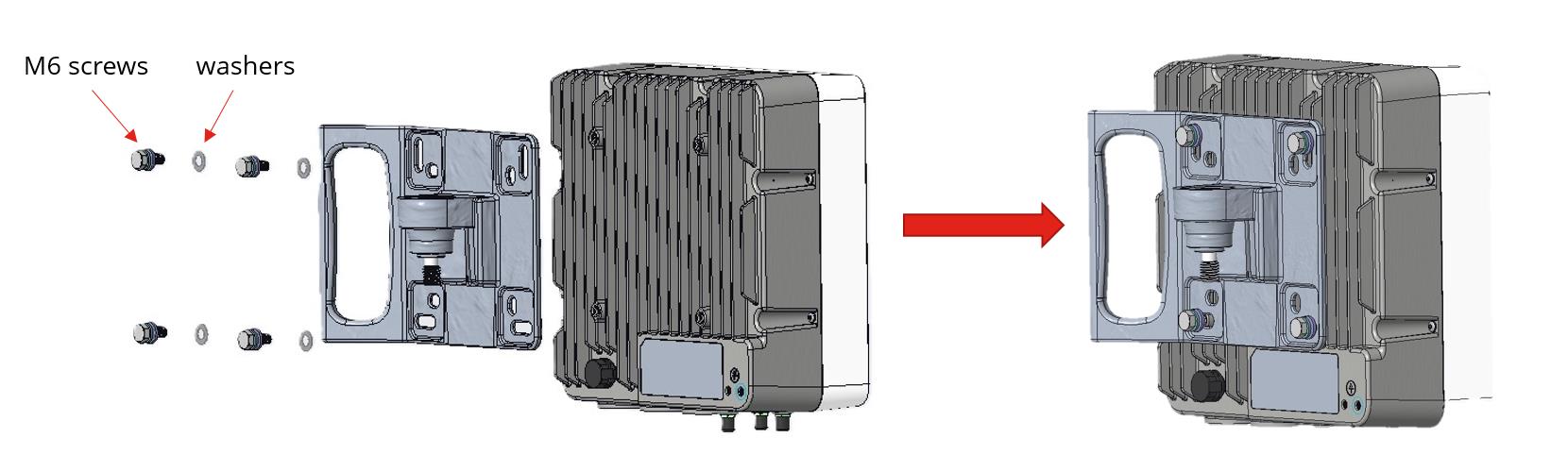
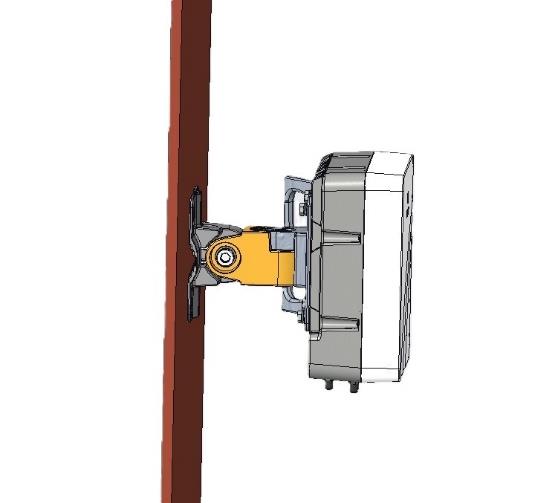
Use the M6 screws and washers to fix the mount base to the device.
|
| --------------------------------------------------------------------------------------------------------------------------------------------------------------------------- | ------------------------------------------------------------------------------------------------------------------------------------------------------------------- | ------------------------------------------------------------------------------------------------------------------------------------------------------------------------------- | ----------------------------------------------------------------------------------------------------------------------------------------------------------------------- | --------------------------------------------------------------------------------------------------------------------------------------------------------------------------------------- |
### Install the Mount Base to the Device
Use the M6 screws and washers to fix the mount base to the device.



 |
|  |
| ----------------------------------------------------------------------------------------------------------------------------------------------------------------------------------------------------------------------------------------------------------------------------------------------- | --------------------------------------------------------------------------------------------------------------------------------------------------------------------------------------------------------- |
## Route the Cables
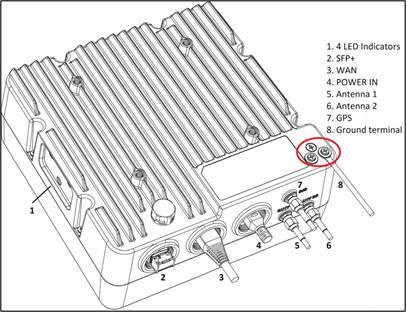
After installation is complete, connect the cables to the G228 and route them following standard cable management practices for a neat, secure installation. Power on the unit and check the LED indicators to confirm it's operating normally.
## Safety Warning
{% hint style="danger" %}
To ensure compliance with CE MPE (Maximum Permissible Exposure) requirements, maintain a minimum distance of **0.3 meters (30 cm)** or more between the antenna and the human body when using this device. Failure to observe this distance may result in non-compliance with RF safety standards.
{% endhint %}
---
# Agent Instructions
This documentation is published with GitBook. GitBook is the documentation platform designed so that both humans and AI agents can read, navigate, and reason over technical content effectively. Learn more at gitbook.com.
## Querying This Documentation
If you need additional information that is not directly available in this page, you can query the documentation by asking a question.
Perform an HTTP GET request on the following URL with the `ask` and `goal` query parameters:
```
GET https://docs.gxc.io/hw/5g/5g-gnb/g228-n48-n77-n78/g228-hardware-installation-guide.md?ask=
|
| ----------------------------------------------------------------------------------------------------------------------------------------------------------------------------------------------------------------------------------------------------------------------------------------------- | --------------------------------------------------------------------------------------------------------------------------------------------------------------------------------------------------------- |
## Route the Cables
After installation is complete, connect the cables to the G228 and route them following standard cable management practices for a neat, secure installation. Power on the unit and check the LED indicators to confirm it's operating normally.
## Safety Warning
{% hint style="danger" %}
To ensure compliance with CE MPE (Maximum Permissible Exposure) requirements, maintain a minimum distance of **0.3 meters (30 cm)** or more between the antenna and the human body when using this device. Failure to observe this distance may result in non-compliance with RF safety standards.
{% endhint %}
---
# Agent Instructions
This documentation is published with GitBook. GitBook is the documentation platform designed so that both humans and AI agents can read, navigate, and reason over technical content effectively. Learn more at gitbook.com.
## Querying This Documentation
If you need additional information that is not directly available in this page, you can query the documentation by asking a question.
Perform an HTTP GET request on the following URL with the `ask` and `goal` query parameters:
```
GET https://docs.gxc.io/hw/5g/5g-gnb/g228-n48-n77-n78/g228-hardware-installation-guide.md?ask=